post your comment to know what you need about GTA addon, Counter Strike addon or etc from this blog
attention:
if you want download a file, please wait the ads until the loading end, to make a good direct download link

~"Thanks for Your Attention"~
Tampilkan postingan dengan label Anti Virus. Tampilkan semua postingan

Rabu, 16 Februari 2011

McAfee Virus Definitions 6259

McAfee Virus Definitions description

McAfee virus pattern and engine updates

Virus definition, or .DAT, files contain up-to-date virus signatures and other information that Network Associates anti-virus products use to protect your computer against the thousands of computer viruses in circulation.

Whether it's VirusScan, VirusScan Pro or Internet Security Suite, make sure you have the very latest Internet protection.

Network Associates releases new .DAT files regularly to provide protection against the approximately 300 new viruses that appear each month.

To ensure that your anti-virus software can protect your system or network against the latest virus threats, download and install the latest .DAT files.

The DAT files are compatible with our anti-virus products (McAfee) that use the version 4.3.20 (or later) virus-scanning engine. We recommend that you upgrade to the latest version of the virus-scanning engine for optimal virus detection and cleaning.

We store new DAT files on our web site in several compressed formats to reduce transmission time:

- Compressed DAT Package. This file contains the DAT files, compressed in a ZIP or tar file. You can extract and install them yourself to update most of our anti-virus software. The file has a name of the format DAT-4316.ZIP or DAT-4316.tar, where 4316 is the four-digit DAT version number such as 4321.

- DAT Package Installer, or "XDAT file". This file includes the DAT files plus an executable that installs them. The file has a name of the format 4316XDAT.EXE, where 4316 is the four-digit DAT version number such as 4321.

- SuperDAT Package Installer, or "SDAT file". This file includes the DAT files plus an executable that installs them. It may also include a new virus-scanning engine and other program components. The file has a name of the format SDAT4316.EXE, where 4316 is the four-digit DAT version number such as 4321.

DOWNLOAD

Sabtu, 12 Februari 2011

Norton AntiVirus Virus Definitions February 11, 2011

Contains the latest free virus databases for Norton AntiVirus Virus (NAV)

Signature file updates ensure that your PC is protected from the latest viruses. It is very important to make sure that you have the latest signature on your PC.

As new threats emerge, Symantec immediately builds new Virus Definitions Updates and makes them available for download.

Note: The i32 Intelligent Updater package cannot be used to update Symantec AntiVirus Corporate Edition 8.0, 9.0, or 10.0 servers or Norton AntiVirus Corporate Edition 7.6 servers, but can be used to update Corporate Edition clients. The x86 Intelligent Updater package can be used to update Corporate Edition clients and servers.

Which virus definition file do you need?

External Mirror 1 & External Mirror 2 - Supports the following versions of Symantec antivirus software:
· Norton AntiVirus 2011 for Windows XP/Vista/7
· Norton Internet Security 2011 for Windows XP/Vista/7
· Norton AntiVirus 2010 for Windows XP/Vista/7
· Norton Internet Security 2010 for Windows XP/Vista/7
· Norton AntiVirus 2009 for Windows XP Home/XP Pro/Vista
· Norton Internet Security 2009 for Windows XP Home/XP Pro/Vista
· Norton AntiVirus 2008 for Windows XP Home/XP Pro/Vista
· Norton Internet Security 2008 for Windows XP Home/XP Pro/Vista
· Norton 360 version 4.0 for Windows XP/Vista/7
· Norton 360 version 3.0 for Windows XP/Vista
· Norton 360 version 2.0 for Windows XP/Vista
· Symantec Endpoint Protection 11.0
· Symantec Endpoint Protection Small Business Edition 12.0

External Mirror 3 & External Mirror 4 - Supports the following versions of Symantec antivirus software:
· Norton AntiVirus 2005 for Windows 2000/XP Home/XP Pro
· Norton AntiVirus 2006 for Windows 2000/XP Home/XP Pro
· Norton AntiVirus 2007 for Windows XP Home/XP Pro/Vista
· Norton 360 version 1.0 for Windows XP/Vista
· Norton SystemWorks (all versions)
· Symantec AntiVirus 3.0 for CacheFlow Security Gateway
· Symantec AntiVirus 3.0 for Inktomi Traffic Edge
· Symantec AntiVirus 3.0 for NetApp Filer/NetCache
· Symantec AntiVirus 10.0 Corporate Edition Client
· Symantec AntiVirus 10.1 Corporate Edition Client
· Symantec AntiVirus 10.2 Corporate Edition Client
· Symantec Mail Security for Domino v 5.x
· Symantec Mail Security for Domino v 7.x
· Symantec Mail Security for Domino (32-bit) v 8.0.x
· Symantec Mail Security for Microsoft Exchange

External Mirror 5 & External Mirror 6 - Supports the following versions of Symantec antivirus software:
· Norton AntiVirus 2005 for Windows 2000/XP Home/XP Pro
· Norton AntiVirus 2006 for Windows 2000/XP Home/XP Pro
· Norton AntiVirus 2007 for Windows XP Home/XP Pro/Vista
· Norton 360 version 1.0 for Windows XP/Vista
· Symantec AntiVirus 3.0 CacheFlow Security Gateway
· Symantec AntiVirus 3.0 for Inktomi Traffic Edge
· Symantec AntiVirus 3.0 for NetApp Filer/NetCache
· Symantec AntiVirus 10.0 Corporate Edition Client
· Symantec AntiVirus 10.1 Corporate Edition Client
· Symantec AntiVirus 10.2 Corporate Edition Client
· Symantec AntiVirus for Bluecoat Security Gateway for Windows 2000 Server/2003 Server
· Symantec AntiVirus for Clearswift MIMESweeper for Windows 2000 Server/2003 Server
· Symantec AntiVirus for Microsoft ISA Server for Windows 2000 Server/2003 Server
· Symantec Mail Security for Domino v 5.x
· Symantec Mail Security for Domino v 7.x
· Symantec Mail Security for Domino (32-bit) v 8.0.x
· Symantec Mail Security for Microsoft Exchange
· Symantec Mail Security for SMTP v 5.x
· Symantec Web Security 3.0 for Windows
· Symantec AntiVirus Scan Engine for Windows

This all inclusive updater will update all of the products listed above. This is useful for updating multiple machines and products with one single package.

External Mirror 7 & External Mirror 8 - Supports the following versions of Symantec antivirus software for 64-bit platforms:
· Norton AntiVirus 2011 for Windows XP/Vista/7 for 64-bit OS only
· Norton Internet Security 2011 for Windows XP/Vista/7 for 64-bit OS only
· Norton AntiVirus 2010 for Windows XP/Vista/7 for 64-bit OS only
· Norton Internet Security 2010 for Windows XP/Vista/7 for 64-bit OS only
· Norton AntiVirus 2009 for Windows XP/Vista for 64-bit OS only
· Norton Internet Security 2009 for Windows XP/Vista for 64-bit OS only
· Norton AntiVirus 2008 for Windows XP/Vista for 64-bit OS only
· Norton Internet Security 2008 for Windows XP/Vista for 64-bit OS only
· Norton 360 version 4.0 for Windows XP/Vista/7 for 64-bit OS only
· Norton 360 version 3.0 for Windows XP/Vista for 64-bit OS only
· Norton 360 version 2.0 for Windows XP/Vista for 64-bit OS only
· Symantec Endpoint Protection 11.0 for 64-bit OS only
· Symantec Endpoint Protection Small Business Edition 12.0 for 64-bit OS only
· Symantec Mail Security for Domino (64-bit) v 8.0.5

External Mirror 9 & External Mirror 10 - Supports the following versions of Symantec antivirus software for 64-bit platforms:
· Symantec AntiVirus 10.0 Corporate Edition Client for 64-bit OS only
· Symantec AntiVirus 10.1 Corporate Edition Client for 64-bit OS only
· Symantec AntiVirus 10.2 Corporate Edition Client for 64-bit OS only
· Norton AntiVirus 2007 for Windows Vista 64-bit OS only
· Norton Internet Security 2007 for Windows Vista 64-bit OS only
· Norton 360 version 1.0 for Windows XP/Vista 64-bit OS only

BitDefender Virus Definitions February 12, 2011

The latest Virus Definitions for BitDefender 9, BitDefender Antivirus 10, BitDefender Antivirus Plus 10 and Internet Security 10

Works with BitDefender Professional Plus, BitDefender Antispyware, BitDefender Standard, BitDefender Internet Security

Because new threats appear every day, BitDefender antivirus must be updated periodically. The updates can be of these types:
· Virus signatures: databases of virus prints to be compared with the scanned files. Shown as Virus Definitions Update. These updates require restarting BitDefender. The restart occurs automatically.
· Spam signatures: rules for the heuristic and URL filters increasing the effectiveness of the antispam engine. Shown as AntiSpam Update.
· Product upgrades: new product features, scan techniques and hotfixes. Shown as Product Update. Occasionally, installing these updates requires restarting the computer.

To configure the automatic update do the following:
· Open BitDefender and click Update.
· Click Settings.
· Configure the Update location settings.
BitDefender 9 includes two update locations, allowing one of them to point to a local mirror.
· Configure the Automatic update options.
Select Automatic check for updates to find out when updates are available.
BitDefender checks for updates every 1 hour. Click Verify every hours to modify the number of hours after which a check for updates is performed.
Leave the Confirm update to Silent update unless you desire to be prompted before downloading the updates or before installing them. A similar option is available for the manual update under the Manual update settings.
· Configure the Advanced options.
To prevent prompts asking for reboot, select Wait for reboot, instead of prompting.
· Click Apply to save the settings.
· Click Default to restore the default settings.

Occasional updates can be perfomed at any time, even when the product is set to update automaticaly:
· Open BitDefender and click Update.
Click also Update at the top of the window if the Settings are displayed.
· Click Update now to start the update process.
If the option Prompt before downloading updates was selected in the Settings, and when updates are available, a list of the updates available for download is displayed. Select the product to install and click Details to see the file download details. Select Switch to silent update (don't ask me again) to stop being prompted on manual update. Click OK to download and install the new files or Cancel to postpone the update.

DOWNLOAD

Kamis, 10 Februari 2011

Kaspersky Virus Removal Tool 2010 9.0.0.722 [11.02.2011]

Another virus scanner and detection software from Kaspersky.

The Kaspersky Virus Removal Tool application was designed to be another virus scanner and detection software from Kaspersky. The produst will scan the specified locations for any virus threats and remove them or send to Quarantine folder.

DOWNLOAD

AVG Anti-Virus Definitions February 10, 2011

Latest free virus definitons for AVG AntiVirus


In order to provide the highest level of antivirus protection for users of AVG Anti-Virus, GRISOFT continuously develops information about new viruses.


These downloads are for our new version AVG 8.0


This information, as well as product improvements, is provided to the users of AVG Anti-Virus in the form of Updates.


Timely virus database updates are the critical component for the effectiveness of any antivirus program. In order to ensure that your AVG is providing the maximum amount of antivirus protection, your AVG Anti-Virus System must be kept up-to-date.


Save update to a temporary location, open AVG control center, select the update button at the bottom, then the select folder button, and follow the prompts.


NOTE: It is strongly recommended that you perform all updates from the AVG Anti-Virus interface. The program can distinguish between full and differential updates; while this page offers only full update files for download.


Download the latest AVG FREE Antivirus


What's New in This Release:
· Added detection of new variant of I-Worm/Stration, new variants of trojans Downloader.Small, Clicker


DOWNLOAD x32
DOWNLOAD x64

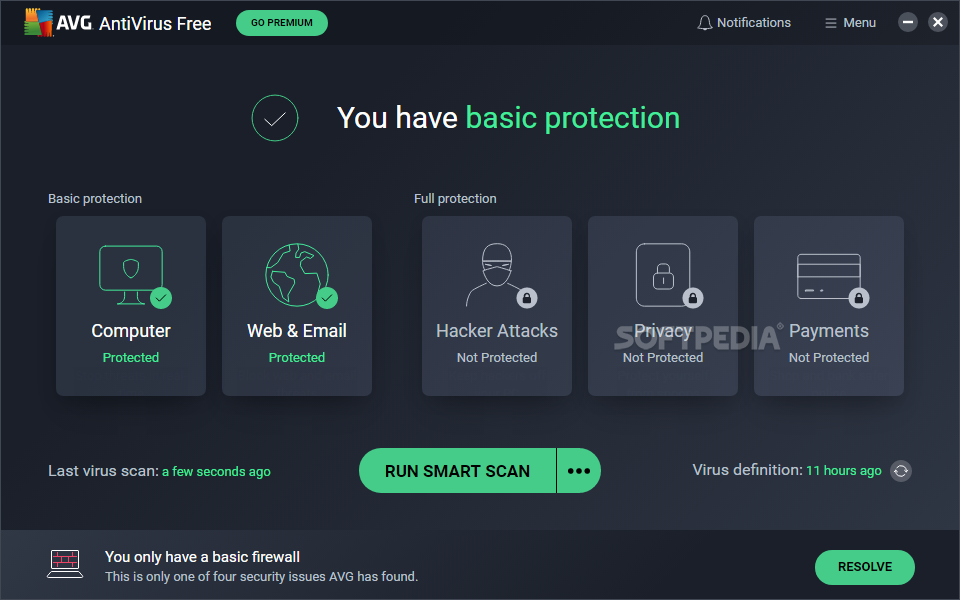
AVG Free Edition 10.0 Build 1204a3402

The world’s most downloaded free security software

The AVG Free Edition application provides basic protection for surfing, searching and social networking.  Millions of people around the world use AVG Anti-Virus Free for their basic online activities. Whether it’s surfing the Internet, conducting web searches, or simply keeping up with friends on Facebook, AVG Anti-Virus Free has got you covered.

AVG Anti-Virus Free Edition 2011 allows you to:
- Surf and search with confidence AVG LinkScanner's real-time protection
- Stay protected on social networks with AVG Social Networking Protection
- Enjoy a faster running PC AVG Smart Scanning works while you're away and runs in low-priority mode when you return
- Stay up-to-date with the latest threat information from the AVG Community Protection Network and AVG Protective Cloud Technology

NOTE:
AVG Anti-Virus Free Edition may only be used on one computer for personal use.
Here are some key features of "AVG Free Edition":

CORE PROTECTION:
· Keep the toughest online threats out.

SURFING, SEARCHING AND SOCIAL NETWORKING:
· Avoid malicious web pages and stay safe on social networks.

Requirements:

· Intel Pentium 1.8 GHz processor or faster
· 550 MB free hard drive space (for installation)
· 512 MB RAM

What's New in This Release:

Fixes & Improvements:
· Core: Script emulator crash fix.
· Core: Vbscript emulator crash fix.


Reasons why this program is marked as ad-supported:

· Offers to download or install AVG Security Toolbar that the program does not require to fully function.
· Is trying to change your default search engine to Yahoo

DOWNLOAD. x32
DOWNLOAD x64
ONLINE INSTALLER

Senin, 07 Februari 2011

BitDefender Virus Definitions February 7, 2011

The latest Virus Definitions for BitDefender 9, BitDefender Antivirus 10, BitDefender Antivirus Plus 10 and Internet Security 10


Works with BitDefender Professional Plus, BitDefender Antispyware, BitDefender Standard, BitDefender Internet Security


Because new threats appear every day, BitDefender antivirus must be updated periodically. The updates can be of these types:
· Virus signatures: databases of virus prints to be compared with the scanned files. Shown as Virus Definitions Update. These updates require restarting BitDefender. The restart occurs automatically.
· Spam signatures: rules for the heuristic and URL filters increasing the effectiveness of the antispam engine. Shown as AntiSpam Update.
· Product upgrades: new product features, scan techniques and hotfixes. Shown as Product Update. Occasionally, installing these updates requires restarting the computer.


To configure the automatic update do the following:
· Open BitDefender and click Update.
· Click Settings.
· Configure the Update location settings.
BitDefender 9 includes two update locations, allowing one of them to point to a local mirror.
· Configure the Automatic update options.
Select Automatic check for updates to find out when updates are available.
BitDefender checks for updates every 1 hour. Click Verify every hours to modify the number of hours after which a check for updates is performed.
Leave the Confirm update to Silent update unless you desire to be prompted before downloading the updates or before installing them. A similar option is available for the manual update under the Manual update settings.
· Configure the Advanced options.
To prevent prompts asking for reboot, select Wait for reboot, instead of prompting.
· Click Apply to save the settings.
· Click Default to restore the default settings.


Occasional updates can be perfomed at any time, even when the product is set to update automaticaly:
· Open BitDefender and click Update.
Click also Update at the top of the window if the Settings are displayed.
· Click Update now to start the update process.
If the option Prompt before downloading updates was selected in the Settings, and when updates are available, a list of the updates available for download is displayed. Select the product to install and click Details to see the file download details. Select Switch to silent update (don't ask me again) to stop being prompted on manual update. Click OK to download and install the new files or Cancel to postpone the update.


DOWNLOAD

Rabu, 02 Februari 2011

Lynx VirusScan 1.0.2

A simple virus scanning solution for your PC.

Lynx VirusScan is a small, compact and easy to use application that will enable you to scan and remove malware components from your computer.

Besides this, Lynx VirusScan can also fix your registry, recover drives and block unwanted websites.
What's New in This Release:

· New Shortcut Virus Detection
· New Heuristic Detection
· Stop detected file(s) from running first before do an action

DOWNLOAD

Sabtu, 22 Januari 2011

Norman Malware Cleaner 1.8.3 (2011.01.22)

A Norman program utility that may be used to detect and remove specific malicious software


Norman Malware Cleaner is a Norman program that can be used to detect and remove specific malicious software (malware).


Note that it should not be used as a substitute for running normal proactive antivirus protection, but rather as a reactive tool to handle systems that are already infected.


By downloading and running Norman Malware Cleaner it will clean an infected system completely:


- kill running processes that are infcted
- remove infections from disk (including ActiveX components and browser helper objects)
- reveal and remove rootkits
- restore correct registry values
- remove references created by malware in hosts file
- remove windows firewall rules for malicious programs


NOTE:This tool will not work in Windows Safe Mode. Please run Windows in Normal Mode.


DOWNLOAD

Rabu, 19 Januari 2011

AVG Anti-Virus Definitions January 19, 2011

Latest free virus definitons for AVG AntiVirus


In order to provide the highest level of antivirus protection for users of AVG Anti-Virus, GRISOFT continuously develops information about new viruses.


These downloads are for our new version AVG 8.0


This information, as well as product improvements, is provided to the users of AVG Anti-Virus in the form of Updates.


Timely virus database updates are the critical component for the effectiveness of any antivirus program. In order to ensure that your AVG is providing the maximum amount of antivirus protection, your AVG Anti-Virus System must be kept up-to-date.


Save update to a temporary location, open AVG control center, select the update button at the bottom, then the select folder button, and follow the prompts.


NOTE: It is strongly recommended that you perform all updates from the AVG Anti-Virus interface. The program can distinguish between full and differential updates; while this page offers only full update files for download.


Download the latest AVG FREE Antivirus
What's New in This Release:


· Added detection of new variant of I-Worm/Stration, new variants of trojans Downloader.Small, Clicker


DOWNLOAD: x32
                         x64

Sabtu, 15 Januari 2011

SUPERAntiSpyware Free 4.48.1000

SUPERAntiSpyware Free Edition is a free and useful software that will detect and remove thousands of Spyware, Adware, Malware, Trojans, KeyLoggers, Dialers, Hi-Jackers, and Worms. SUPERAntiSpyware features many unique and powerful technologies and removes spyware threats that other applications fail to remove.
Features:
  • Quick, Complete and Custom Scanning of Hard Drives, Removable Drives, Memory, Registry, Individual Folders and More! Includes Trusting Items and Excluding Folders for complete customization of scanning!
  • Detect and Remove Spyware, Adware, Malware, Trojans, Dialers, Worms, KeyLoggers, HiJackers and many other types of threats.
  • Repair broken Internet Connections, Desktops, Registry Editing, Task Manager and more with our unique Repair System! Spyware application often disable system components to prevent removal - SUPERAntiSpyware resets and restores these items in seconds!
  • Quarantine items detected and removed for complete protection. Items in the quarantine may be restored to your computer if desired.
  • Detailed scan logs with complete information about detected and removed threats and their locations within your computer. Scan logs allow you to review scheduled scan results at anytime.
Note:
  • SUPERAntiSpyware Free Edition does not include real-time blocking or scheduled scanning.
  • SUPERAntiSpyware Free Edition is free only for personal use
What's New in version 4.48.1000:
  • NEW Rogue Removal Engine
  • Core scanning engine updates (smart defs)
  • Trace scanning engine updates (smart defs)
  • 64-bit enhancements (faster)
  • Improved PIT (Process Interrogation Technology) 
DOWNLOAD

    Jumat, 14 Januari 2011

    Avira Antivir Virus Definition File Update January 14, 2011


    Download the Virus Definition File to always keep Avira AntiVir up-to-date

    Avira AntiVir PersonalEdition Classic is a comprehensive, easy to use antivirus program, designed to offer reliable virus protection to home-users only.

    Avira PersonalEdition Classic constantly and rapidly scans your computer for malicious programs (such as viruses, Trojans, backdoor programs, hoaxes, worms, dialers etc.), monitoring every action executed by the user or by the operating system and being able to react promptly when a malicious program is detected. Actions include repair, delete, block, rename and quarantine programs or files.

    Avira PersonalEdition Classic also features enhanced protection against unknown boot-sector viruses, issuing alerts for boot sectors suspicious formats. Through the permanent update of the detection engine, the protection is ensured constantly: the user can set the product to download any updates when available, thus keeping you clean and safe.

    In order to have Avira AntiVir up-to-date all you need to do is download the Virus Definition File.

    Manual Update of AntiVir:
    Please go through the following steps to update your AntiVir Personal Edition Classic / Premium on a PC without internet access.

    · Download the latest virus definition file (IVDF) on a PC with internet access.
    · Copy the downloaded file to a portable media storage such as an USB Stick or a CD-ROM for transferring it to the PC without internet access.
    Note: Extracting of the ZIP file is not necessary.
    · Insert the media storage into the PC without internet access.
    · Start AntiVir Personal Edition Classic / Premium and go the menu �Update" and select �Manual Update".
    · Select the downloaded IVDF file from your media storage and click �open".Your AntiVir PersonalEdition Classic / Premium is now up to date.

    Please use the AntiVir VDF update, if you are using one of the following Avira products: · Avira AntiVir Personal, Premium and Premium Security Suite from version 9
    · Avira AntiVir Personal (Unix) from version 3
    · Avira AntiVir Professional (Windows) from version 9
    · Avira AntiVir Professional (Unix) from version 3
    · Avira AntiVir Server (Windows) from version 9
    · Avira AntiVir Server (Unix) from version 3
    · Avira AntiVir MailGate from version 3
    · Avira AntiVir WebGate from version 3
    · Avira AntiVir SharePoint from version 3
    · Avira AntiVir ISA Server from version 3

    Important note: Please keep in mind that an effective protection against new threats is only possible with an up to date virus definition file. Update your AntiVir PersonalEdition Classic / Premium at least every second day.

    DOWNLOAD

    Senin, 10 Januari 2011

    BitDefender 8 (Standard/Professional Plus) Virus Definitions January 10, 2011

    Latest free virus definitons for Bitdefender antivirus

    Bitdefender latest virus definitons !

    Works with BitDefender Professional Edition, BitDefender Standard Edition, BitDefender Free Edition.

    The package cumulative.zip is published every week on Monday and includes all the virus definitions and scan engines updates up to the date of release. The package daily.zip is published everyday and includes all the Virus Definition Updates from the last cumulative release till the current date.

    Windows NT4/2000/XP
    Stop BitDefender antivirus protection
    · Exit BitDefender management console.
    Right-click BitDefender's icon in System Tray and select Exit.
    · Open Services.
    Click Start, then Control Panel, double-click Administrative Tools and click Services
    · Stop BitDefender Virus Shield service.
    Select BitDefender Virus Shield service from the list and press Stop the service.
    · Stop BitDefender Scan Server service.
    Select BitDefender Scan Server service from the list and press Stop the service.

    Extract the archive content.
    Start with cumulative.zip when both update archives are available. Extract the content in the folder
    C:Program FilesCommon FilesSoftwinBitDefender Scan ServerPlugins
    and accept overwriting existing files

    Restart BitDefender antivirus protection.
    · Return to Services.
    · Start BitDefender Scan Server service.
    Select BitDefender Scan Server service from the list and press Start the service.
    · Start BitDefender Virus Shield service
    Open BitDefender management console.

    Windows 98/ME
    Extract the archive content.
    Start with cumulative.zip when both update archives are available. Extract the content in the folder
    C:Program FilesCommon FilesSoftwinBitDefender Scan ServerPlugins
    and accept overwriting existing files.
    Restart the computer.

    DOWNLOAD

    Kamis, 06 Januari 2011

    Dr.WEB CureIt! 6.00.5 [06.01.2011]

    Anti-virus and anti-spyware scanner based on the Dr.WEB engine


    Dr.WEB CureIt! is an antivirus and anti-spyware scanning tool that is developed on the Dr.WEB engine which will help you quickly scan and cure, if necessary, a computer without installation of the Dr.WEB Anti-virus.


    Dr.WEB CureIT! automatically detects the language of the OS it is installed to and sets the scanner interface accordingly (if the local language is not supported, English is enabled).


    Dr.WEB CureIt! supports the following languages: Russian, Arabic, Armenian, Bulgarian, Byelorussian, Czech, English, Estonian, French, Georgian, German, Greek, Hungarian, Japanese, Latvian, Lithuanian, Polish, Portuguese, Slovakian, Spanish, Ukrainian.


    Dr.WEB CureIt! contains the most up-to-date add-ons to the Dr.WEB virus bases going up to twice per hour frequency at periods of high malware submissions


    Dr.WEB CureIT! detects and removes
    ■ Mass-mailing worms
    ■ E-mail viruses
    ■ Peer-to-peer viruses
    ■ Internet worms
    ■ File viruses
    ■ Trojans
    ■ Stealth viruses
    ■ Polymorphic viruses
    ■ Bodiless viruses
    ■ Macro viruses
    ■ MS Office viruses
    ■ Script viruses
    ■ Spyware
    ■ Spybots
    ■ Password stealers
    ■ Keyloggers
    ■ Paid Dialers
    ■ Adware
    ■ Riskware
    ■ Hacktools
    ■ Backdoors
    ■ Joke programs
    ■ Malicious scripts
    ■ Other malware


    DOWNLOAD

    Super Av Beta 3

    AnAn open source antivirus with full source code


    The Super Av application was developed to be an open source antivirus with full source code. It will protect your system for malware intrusions. You will be able to update the virus database yourself by adding new signatures manually. Just select the suspected file and enter the details for the new entry.


    The application can scan startup processes, Windows folder, System, Network or USB drives. It can change process priority, end, refresh or add a new process. For every process it can display File Location, Properties or File Informations.


    Requirements:


    · NET Framework

    DOWNLOAD

    Emsisoft Emergency Kit 1.0.0.25

    A handy collection of malware detection and removal tools in a single bundle


    The Emsisoft Emergency Kit contains a collection of programs that can be used without a software installation to scan and clean infected computers for malware.


    Emsisoft Emergency Kit Scanner
    With the Emsisoft Emergency Kit Scanner you have got the powerful Emsisoft Scanner including graphical user interface. Search the infected PC for Viruses, Trojans, Spyware, Adware, Worms, Dialers, Keyloggers and other malign programs.


    Run the Emsisoft Emergency Kit Scanner with a double click on a2emergencykit.exe. Found Malware can be moved to quarantine or finally deleted.


    Emsisoft Commandline Scanner
    This scanner contains the same functionality as the Emergency Kit Scanner but without a graphical user interface. The commandline tool is made for professional users and can be used perfectly for batch jobs.


    To run the Emsisoft Commandline Scanner, do the following actions:


    - Open a command prompt window (Run: cmd.exe)
    - Switch to the drive of the USB Stick (e.g.: f:) and then to the folder of the executable files (e.g.: cd run)
    - Run the scanner by typing: a2cmd.exe


    Next you will see a help page describing all available parameters.


    Next is an example to scan drive c:\ with enabled Memory, Traces (Registry) and Cookie scan with active Heuristic module and archive support. Found Malware is moved to quarantine.


    a2cmd.exe /f="c:\" /m /t /c /h /a /q="c:\quarantine\"


    Emsisoft HiJackFree
    HiJackFree helps advanced users to detect and remove Malware manually. With HiJackFree you can manage all active processes, services, drivers, autoruns, open ports, hosts file entries and many more. For your full control over your system.


    Emsisoft BlitzBlank
    BlitzBlank is a tool for experienced users and all those who must deal with Malware on a daily basis. Malware infections are not always easy to clean up. These days the software pests use clever techniques to protect themselves from being deleted. In more and more cases it is almost impossible to delete a Malware file while Windows is running. BlitzBlank deletes files, Registry entries and drivers at boot time before Windows and all other programs are loaded.


    With Emsisoft Emergency Kit you get a set of powerful protection tools designed to keep your PC clean of malware!
    Here are some key features of "Emsisoft Emergency Kit":


    · Your emergency kit for infected PCs!
    · Detects and removes Malware
    · >4 million known dangers
    · 100% portable - perfect for USB sticks
    · HiJackFree and BlitzBlank included


    What's New in This Release:


    · Detail scan settings problem fixed.
    · Crash on downloading full Ikarus signature updates fixed.

    DOWNLOAD

    Selasa, 28 Desember 2010

    Avira AntiVir Personal - Free Antivirus 10.0.0.609 ( PC application )


    Avira AntiVir Personal FREE Antivirus was developed to be a reliable free antivirus solution, that constantly and rapidly scans your computer for malicious programs such as viruses, Trojans, backdoor programs, hoaxes, worms, dialers etc. Monitors every action executed by the user or the operating system and reacts promptly when a malicious program is detected.

    Avira AntiVir Personal is a comprehensive, easy to use antivirus program, designed to offer reliable free of charge virus protection to home-users, for personal use only, and is not for business or commercial use.

    Avira AntiVir Personal gives you the following functions:
    · Control Center for monitoring, administering and controlling the entire program
    · Central configuration with user-friendly standard and advanced options and context-sensitive help
    · Scanner (On-Demand Scan) with profile-controlled and configurable search for all known types of virus and malware
    · Integration into the Windows Vista User Account Control allows you to carry out tasks requiring administrator rights
    · Guard (On-Access Scan) for continuous monitoring of all file access attempts
    · Integrated quarantine management to isolate and process suspicious files
    · Rootkit protection for detecting hidden malware installed in your computer system (rootkits) (Only for 32-bit systems)
    · Direct access to detailed information on the detected viruses and malware via the Internet
    · Simple and quick updates to the program, virus definitions, and search engine through Single File Update and incremental VDF updates via a webserver on the Internet
    · Integrated Scheduler to plan one-off or recurring tasks, such as updates or test runs
    · Very high rates of virus and malware detection using innovative search technologies (search engines) and heuristic search processes
    · Detection of all common archive types, including detection of nested archives and smart extensions
    · High-performance multithreading function (simultaneous high-speed scanning of multiple files)

    NOTE:
    Avira AntiVir Personal is free for personal use only. A license key can be downloaded from here.
    Here are some key features of "Avira AntiVir Personal - Free Antivirus":

    · AntiVir protection against viruses, worms and Trojans AntiDialer protection against expensive dialers
    · AntiRootkit protection against hidden rootkits
    · Faster Scanning up to 20% faster
    · AntiPhishing protection against phishing
    · AntiSpyware protection against spyware and adware NetbookSupport for laptops with low resolution
    · QuickRemoval eliminates viruses at the push of a button

    Requirements:

    · At least 100 MB of free hard disk memory space (more if using Quarantine for temporary storage)
    · At least 192 MB RAM under Windows 2000/XP
    · At least 512 MB RAM under Windows Vista
    · For the installation of Avira AntiVir Personal: Administrator rights
    · For all installations: Windows Internet Explorer 6.0 or higher

    Limitations:

    · Not for Commercial or Business use
    · Nag screen
    What's New in This Release:
    New Gui:
    · Avira AntiVir, version 10 will be released with a new graphical user interface that features a completely new set of icons as well as a new 3D navigation bar and a continuous background picture.

    · The new user interface keeps the proven elements of the old interface and the customer does not need to get into a new interface. However, the new icon set and the other new elements make it much easier for the customer to find his way around the program.

    Avira AntiVir ProActiv :
    · Avira AntiVir, version 10 is now equipped with a brand new host-based intrusion prevention system called Avira AntiVir ProActiv. AntiVir ProActiv constantly monitors the behaviour of the system in real-time and looks for unusual events.

    · An integrated rule-system is able to decide proactively if a certain event (or a combination of events) indicates that the system is currently under attack from a new or unknown malware.

    · If a rule matches the user is then able to decide what to do with this ...

    DOWNLOAD

    Senin, 27 Desember 2010

    AVG Free Edition 10.0 Build 1191a3330 ( PC application )

    The AVG Free Edition application provides basic protection for surfing, searching and social networking.  Millions of people around the world use AVG Anti-Virus Free for their basic online activities. Whether it’s surfing the Internet, conducting web searches, or simply keeping up with friends on Facebook, AVG Anti-Virus Free has got you covered.

    AVG Anti-Virus Free Edition 2011 allows you to:
    - Surf and search with confidence AVG LinkScanner's real-time protection
    - Stay protected on social networks with AVG Social Networking Protection
    - Enjoy a faster running PC AVG Smart Scanning works while you're away and runs in low-priority mode when you return
    - Stay up-to-date with the latest threat information from the AVG Community Protection Network and AVG Protective Cloud Technology

    NOTE:
    AVG Anti-Virus Free Edition may only be used on one computer for personal use.
    Here are some key features of "AVG Free Edition":

    CORE PROTECTION:
    · Keep the toughest online threats out.

    SURFING, SEARCHING AND SOCIAL NETWORKING:
    · Avoid malicious web pages and stay safe on social networks.

    Requirements:

    · Intel Pentium 1.8 GHz processor or faster
    · 550 MB free hard drive space (for installation)
    · 512 MB RAM

    What's New in This Release:
    Fixes & Improvements:
    · Core: Script emulator crash fix.
    · Core: Vbscript emulator crash fix.

    Reasons why this program is marked as ad-supported:

    · Offers to download or install AVG Security Toolbar that the program does not require to fully function.
    · Is trying to change your default search engine to Yahoo.

    Download: for 64bit
                           32bit